How to Get a Transcript of Any Podcast Episode (Free Methods)

Why You Need a Podcast Transcript
Whether you're a researcher trying to quote an interview, a student capturing lecture content, or a creator repurposing your own episodes, getting a podcast transcript is one of the most useful things you can do with audio content. The problem is that most podcasts don't publish transcripts, and the ones that do often make them hard to copy or export.
This guide covers every method to get a transcript of any podcast episode, from free online tools to built-in platform features, ranked by ease and accuracy.
Method 1: Use PodcastsToText (Fastest for Spotify & Apple Podcasts)
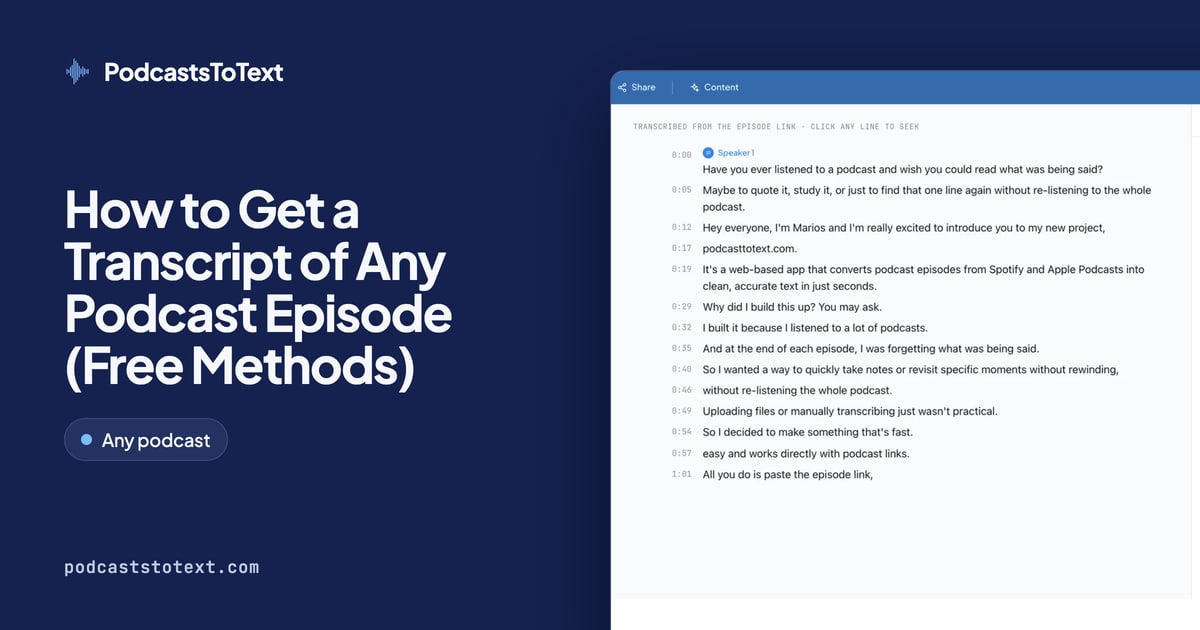
The simplest way to get a podcast transcript from Spotify or Apple Podcasts is to use PodcastsToText. You don't need to download any audio files. Just paste the episode URL and get a complete transcript in minutes.
How to get a Spotify podcast transcript:
- Open Spotify and find the episode you want
- Click the three dots (⋯) menu and select Share Episode → Copy Link
- Go to PodcastsToText Spotify tool and paste the link
- Click Transcribe and download your transcript in Text, SRT, VTT, or JSON
How to get an Apple Podcasts transcript:
- Go to podcasts.apple.com and find your episode
- Click Share and copy the episode link
- Go to PodcastsToText Apple Podcasts tool and paste the link
- Download your full transcript with speaker labels
PodcastsToText gives you 30 free minutes of transcription per month, enough for most individual episodes, with no credit card required.
Method 2: Check the Show Notes or Podcast Website
Many podcasters publish transcripts on their own websites. Before using a tool, check:
- The episode's show notes in Spotify or Apple Podcasts (scroll down on the episode page)
- The podcast's website, search for the episode title plus "transcript"
- The podcast's RSS feed, some publishers include transcripts there (find a show's RSS feed)
This works well for large shows like The Tim Ferriss Show, Huberman Lab, or Freakonomics, which regularly publish full transcripts. Smaller or independent shows rarely do.
Method 3: Use Spotify's Built-In Transcript (Limited)
Spotify displays auto-generated transcripts for some episodes directly in the app: you'll see a speech bubble icon on the episode page. However, there are two major problems:
- It only works for a subset of episodes (not all)
- You cannot export, copy, or download the transcript from Spotify
For a downloadable transcript from any Spotify episode, PodcastsToText is the better option.
Method 4: Use Apple Podcasts' Built-In Transcripts (Limited)
Apple Podcasts added auto-generated transcripts in iOS 17. Like Spotify, they appear inside the app for supported episodes but cannot be exported. The transcript is searchable within the app, but if you want to copy, edit, or download it, you need a third-party tool.
Method 5: Upload an Audio File to a Transcription Tool
If you have the audio file (MP3, WAV, M4A), you can upload it to any AI transcription service. Options include:
- PodcastsToText. URL-based, no upload required for Spotify/Apple Podcasts
- Otter.ai, good for real-time recording, paid tiers required for long files
- Descript, full audio editor with transcription built in
- Rev.com, human transcription available, more expensive but highest accuracy
URL-based tools like PodcastsToText are faster because you skip the download-and-upload step entirely, especially useful for episodes over an hour long.
Method 6: Manual Transcription
If accuracy is critical and budget isn't a concern, hire a human transcriptionist. Services like Rev.com offer human transcription at around $1.50–$2.50 per minute. For a one-hour podcast, expect to pay $90–$150 and wait 12–24 hours. This is rarely necessary: modern AI transcription achieves 95%+ accuracy for clear audio.
Which Method Should You Use?
For most people, PodcastsToText is the fastest and easiest answer. It works with any Spotify or Apple Podcasts episode, requires no file download, and gives you 30 free minutes to start. For bulk transcription or audio files from other sources, the upload-based tools are your next best option.
The bottom line: getting a podcast transcript is now a 2-minute task. Paste the URL, click transcribe, and download your text.
Ready to transform your content?
Turn your podcasts into accurate text in minutes. Start transcribing for free and see how PodcastsToText can save you hours of work.
Get started now